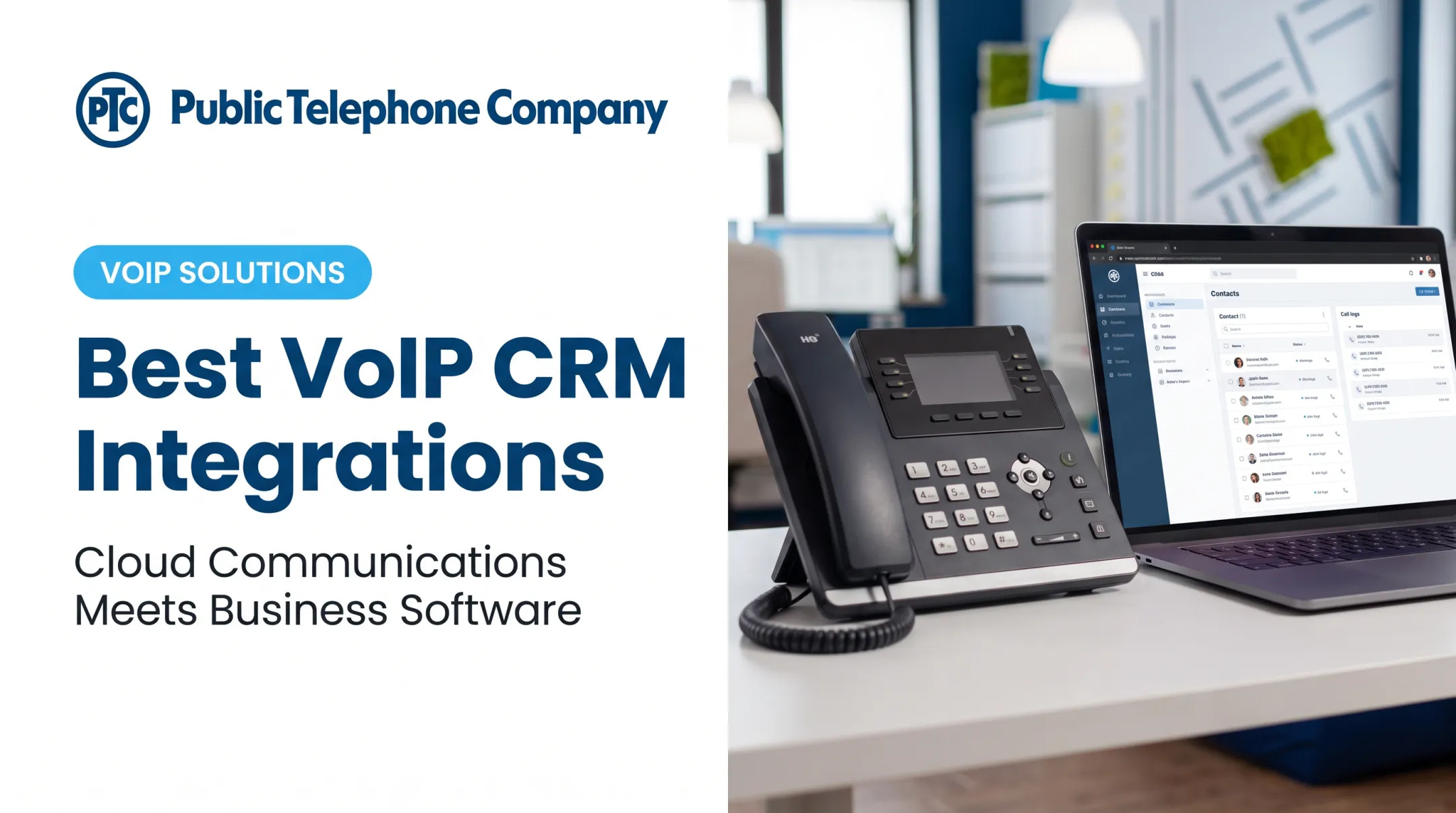
Many businesses still run their phone system and CRM as two separate tools that barely talk to each other. A rep takes a call, then manually types details into a contact record if there's time. That gap costs sales, delays support, and buries call history nobody can find later.
The best CRM phone integration in 2026 does more than dial numbers. It should match inbound calls to contact records automatically, log the conversation, attach recordings or transcripts, and hand off a follow-up task without anyone touching a keyboard.
This guide compares five providers built for that job, from small offices running lean to larger teams juggling PBX, SIP trunking, or full cloud communications stacks. We'll look at CRM compatibility, call logging, security, and total cost, so you can match the right platform to your actual workflow, not just a feature list.
Key Takeaways
- CRM phone integration syncs calling with customer records, cuts manual entry, and shows caller history instantly.
- Pick on CRM fit, integration depth, call recording, mobile access, and support—not brand name.
- Public Telephone Company pairs cloud VoIP, PBX, UCaaS, or SIP trunking with custom CRM integration.
- Test each finalist on one workflow: match an inbound call, log it, and create a follow-up task.
Overview of CRM Phone Integration in the US Market
CRM phone integration connects your business phone system to your CRM so call activity and customer information move automatically between the two. Instead of a rep hanging up and typing notes from memory, the system handles the linking.
In practice, that connection can include:
- Caller identification and screen pops showing account history before you pick up
- Click-to-call from a contact record instead of dialing manually
- Automatic call timestamps, dispositions, and notes attached to the right contact
- Call recordings, transcriptions, and voicemail tied to the interaction
- Follow-up tasks created automatically based on call outcome
Four Ways Systems Actually Connect
Not every "integration" works the same way. Providers generally fall into one of four categories:
- Native CRM calling — built directly into the CRM by the vendor, limited to what that vendor designed.
- Marketplace apps — third-party connectors installed through a CRM's app store, such as Salesforce's AppExchange.
- Direct API or webhook connections — custom-built links that read and write call, contact, and recording data programmatically.
- Middleware/iPaaS platforms — tools like Zapier or Make that bridge a phone system and CRM without native support.
Each approach has trade-offs in reliability, cost, and how much control your team has when something breaks.

How you connect matters, but so do the rules that govern the calls themselves.
US Compliance Requirements to Check First
Before you implement CRM phone integration, lock down these legal requirements:
- Call recording consent varies by state—one-party consent in some states; all-party consent in others, including California
- TCPA rules require prior consent for many calls and texts; telemarketing typically needs prior express written consent after required disclosures (FCC)
- Industry rules apply to health, legal, and financial data—HIPAA-covered orgs must safeguard PHI on any phone path that carries it
Skipping these checks is a common, costly mistake when rolling out a phone-CRM connection. The providers below take different paths: a telecom firm with custom integration work, dedicated cloud phone systems, and a broader communications platform.
Top 5 Best CRM Phone Integration Options in 2026
We compared these five providers on CRM compatibility, automatic call logging, calling controls, workflow support, implementation complexity, scalability, security, and total cost. Pricing and specific CRM support change often, so confirm current details with each vendor before you commit.
Public Telephone Company
Public Telephone Company is a Florida-based telecom provider offering cloud-hosted VoIP, PBX, UCaaS, and SIP trunking, built around custom integration work rather than a single pre-packaged CRM app. Instead of forcing your business into one connector, its team builds the integration around your specific CRM and phone architecture.
This approach tends to fit:
- Small and midsize businesses replacing aging landline or on-premise PBX systems
- Law firms, clinics, and professional services offices that need reliable call handling and routing across staff
- Multi-location firms or municipal agencies that already own PBX hardware and want a tailored deployment
- Organizations that need wireless extensions, room to scale, and 24/7 support instead of a rigid off-the-shelf app
The company's phone systems include equipment at no upfront cost, unlimited calling with 35+ built-in features, and an implementation team to handle setup. Because integration work is custom, the exact CRM data flow, such as screen pops or automatic dispositions, depends on the project scope agreed during setup.
| Category | Details |
|---|---|
| CRM integration method | Custom-built integration services (confirm scope during consultation) |
| Phone architecture | Cloud-hosted VoIP, PBX, UCaaS, SIP trunking |
| Call management | Unlimited calling, 35+ features, AI auto attendant/IVR |
| Scalability | 1 to 100,000+ users |
| Support | 24/7 technical support |
| Equipment | Included with service, no upfront cost |
| Pricing approach | Custom quote based on deployment and integration needs |
For businesses that need a phone foundation built around their CRM, rather than a CRM built around someone else's phone app, this custom path is worth a conversation before defaulting to a stock plan.
Aircall
Aircall centers its pitch on native CRM connectivity, listing more than 250 integrations including Salesforce, HubSpot, Zoho, Pipedrive, Zendesk, and Microsoft Dynamics. Click to Dial lets reps call directly from a CRM record, and Insight Cards pull related account data into view during inbound calls.
Calls, voicemails, and recordings land in a filterable Conversation Center, with one-click transcripts and tagging for follow-up. One vendor case study reports that SumUp increased outbound calling activity by 30% after connecting Aircall to Salesforce. Treat that as a useful data point, not an independent benchmark.
Aircall generally suits:
- Sales and support teams already standardized on a major CRM
- Teams that want shared calling, routing, and analytics without heavy setup
- Businesses comfortable with a per-user subscription model
| Category | Details |
|---|---|
| Compatible CRMs | Salesforce, HubSpot, Zoho, Pipedrive, Zendesk, Dynamics, and more |
| Automatic logging | Yes, through Conversation Center and Insight Cards |
| Workflow automation | Call tagging, dispositions, follow-up context |
| Mobile access | iOS and Android apps |
| Support | Standard plan-based support |
| Pricing | Starts around $30/user/month on Professional (3-user minimum); Custom requires 25 licenses |
Confirm current tier limits before signing, since Aircall's entry-level Essentials plan carries fewer calling features than Professional and Custom.
CloudTalk
CloudTalk supports more than 95 CRM, helpdesk, and ATS integrations, syncing contacts, calls, recordings, and tags with platforms like Salesforce, HubSpot, and Zoho. Its Power Dialer includes call outcomes and reschedule labels, useful for outbound-heavy sales teams.
For teams without a listed native connector, CloudTalk offers a documented REST API and webhook events. Webhook delivery is best-effort, and messages can be missed during downtime with no self-serve replay option. Some call records may need periodic API checks rather than relying on webhooks alone.
Capabilities that help distributed and international teams include:
- Local numbers available in more than 160 countries
- Call queues, IVR, skills-based routing, and VIP queue handling
- Live monitoring dashboards and agent-level reporting
| Category | Details |
|---|---|
| Integration types | Native connectors, REST API, webhooks, Zapier/Make |
| Inbound/outbound features | Power Dialer, call queues, IVR, VIP routing |
| AI/transcription | Available on select plans |
| Reporting | Real-time analytics, wallboards, agent dashboards |
| Pricing | Starting around €19/month (Lite, annual); Expert plan requires 3-user minimum |
US buyers should confirm current USD pricing directly with CloudTalk, since published rates are listed in euros.
JustCall
JustCall connects calling and SMS to CRM records across Salesforce, Pipedrive, HubSpot, Zoho, Zendesk Sell, SugarCRM, Vtiger, and others. Custom options are available through APIs and webhooks. One-click calling and texting from CRM records, automatic activity logging, and call recording transcripts are standard across its catalog.
Its workflow automation layer supports automated follow-ups and voice/SMS sequences tied to CRM triggers, appealing to budget-conscious teams that want calling and texting in one interface.
| Category | Details |
|---|---|
| CRM compatibility | Salesforce, Pipedrive, HubSpot, Zoho, Zendesk Sell, and more |
| Voice/messaging | Calling, SMS, automated workflows |
| Auto-logging | Yes, activity and call recording logs |
| Support | Onboarding assistance included |
| Pricing | Team plan from $29/user/month (annual, 2-user minimum); Business requires 10 users |
Calling minutes and SMS segments are pooled at the account level rather than per user, so teams with uneven call volume should model usage carefully before choosing a tier.
RingCentral
RingCentral positions itself as a broader unified communications and contact-center platform, with more than 500 pre-built integrations and open APIs for custom connections. It's built for organizations that need CRM-connected calling alongside multi-site administration, call queues, IVR design, and deep analytics like average handle time and first-call resolution.
RingCentral's Trust Center lists a SOC 2 report and annual third-party audits, and its pricing page includes HIPAA among its stated compliance portfolio, relevant for healthcare-adjacent teams.
RingCentral tends to fit larger or multi-location organizations more than small offices:
- Multi-site administration with cost-center management and custom roles
- Contact-center features like skills-based routing and customer journey analytics
- Add-ons such as AI Receptionist (from $39) and Conversation Intelligence (from $60)
| Category | Details |
|---|---|
| Ecosystem breadth | 500+ integrations, open APIs |
| Telephony depth | IVR Designer, queue callback, skills-based routing |
| Contact-center capabilities | Performance analytics, AHT, FCR, journey tracking |
| Administration | Multi-site, cost centers, custom permissions |
| Security/compliance | SOC 2 report, HIPAA listed in compliance portfolio |
| Pricing | Add-ons priced individually; bundles require a custom quote |
Listed compatibility and pricing shift by plan, region, CRM edition, and user count. Always verify current terms through a live demo rather than a marketing page.

How We Chose the Best CRM Phone Integration
Every provider on this list claims CRM integration. Fewer can prove it works end to end. Our evaluation focused on one test: does an inbound call actually identify or create a contact, show relevant context, log the interaction, and generate the right follow-up record?
CRM Compatibility and Architecture
We checked whether each connection is native or third-party, whether sync runs both directions, and what happens when it fails. Concrete checks included:
- Supported CRM editions, and whether lower-tier plans lose features
- Native versus API/middleware paths, including added middleware fees
- Field mapping accuracy and error handling when a sync breaks
Phone Capabilities That Matter Day to Day
Beyond basic dialing, we looked for:
- Click-to-call and screen pops
- Call routing, queues, and IVR
- Voicemail, recording, and transcription
- SMS support where relevant
- Mobile app functionality, tested for real use, not just app-store screenshots
Business Value and Security
Operational payoff should be measurable: less manual logging, faster callback handling, cleaner contact history, and smoother handoffs between sales, service, and reception staff. We also weighed:
- Encryption and authentication standards
- Role-based access and audit trails
- Recording consent controls by state
- Data retention policies and named subprocessors
- Industry-specific obligations for healthcare, legal, financial, or government use
Total Cost, Not Sticker Price
A $29 per-user plan can cost far more once add-ons stack up. We priced the full stack, including:
- Extra phone numbers and pooled minutes
- Recording storage and AI transcription add-ons
- SMS overages and implementation fees
- Hardware when it is not included
Buying Mistakes We Watched For
A few patterns show up repeatedly when businesses choose the wrong setup:
- Picking a CRM for its basic native calling, then discovering it can't handle real call volume
- Assuming every integration syncs both directions
- Ignoring state-by-state call-recording consent rules
- Never testing the mobile app before rollout
- Not confirming what happens when a sync fails

CloudTalk's own documentation notes that webhook events can be missed during downtime with no self-serve replay. Critical call data needs a backup reconciliation process, not blind trust in real-time sync.
Conclusion
The best CRM phone integration is the one that reliably turns a phone call into a logged record your team can act on immediately—not the longest feature list.
Before choosing, run the workflow test: watch an inbound call turn into a matched contact, a logged activity, and a follow-up task. Weigh integration depth, security, scalability, and total cost together, not brand recognition alone.
If you're evaluating a scalable cloud phone, PBX, UCaaS, SIP trunking, or a custom CRM-connected deployment, contact Public Telephone Company at 877-314-4080 to discuss your current setup and confirm which integration options fit. The team has been building business telecom systems since 1999 and can walk through what a real, working connection looks like for your CRM.
Frequently Asked Questions
What is a CRM phone?
A CRM phone links a business phone system to a CRM, letting users place calls, identify contacts, and log activity directly from customer records. Features vary by phone provider, CRM platform, and integration method.
Is CRM phone integration the same as CTI?
Yes. Computer telephony integration (CTI) is the technical term for linking a phone system to business software like a CRM, enabling call control and automatic activity logging from one screen.
Do all CRM integrations sync both directions?
No. Some connections only push call data one way, such as phone-to-CRM. Confirm whether updates in your CRM also affect call routing or contact matching before relying on it as a system of record.
Does call recording require consent in every state?
It depends on the state. Some allow recording with one party's consent; others, like California, require all parties to agree. Always confirm your state's rule before enabling automatic call recording.
How much does CRM phone integration typically cost?
Costs vary widely, from roughly $29 per user, per month for entry-level plans to custom quotes for larger deployments with dedicated integration work, add-ons, and multi-site support.